How it works
Three steps, then it stays out of your way
No plugin in your calendar, no guest in your meeting, no recording sent anywhere you did not choose.
Start your meeting as usual
Teams, Zoom, Meet, a browser tab — anything that plays audio on your computer.
Sidecue listens locally
It captures the audio already on your machine and turns it into a live transcript.
Cues appear beside you
Suggestions, answers and action items land in a side panel next to your call.
Examples
What actually shows up in the panel
Three situations and what Sidecue displays as they happen. The wording depends on the mode you pick and on the session context you type in yourself — product names, price list, whatever matters.
Sales call
“That looks expensive compared to what we saw from your competitor.”
Sidecue showsAsk what exactly they are comparing — scope and seat count. Don't discount before a budget and a decision date are on the table.
Technical support
“Since the last update, notifications stopped arriving.”
Sidecue showsAsk for the version number and any firewall changes. Request the log from the app directory — it shows whether the service starts at all.
Status meeting
“I'll take the report, but realistically not before Thursday.”
Sidecue showsAction item: report — Anna, due Friday. Ask what blocks it until Thursday, so the date is a commitment rather than a wish.
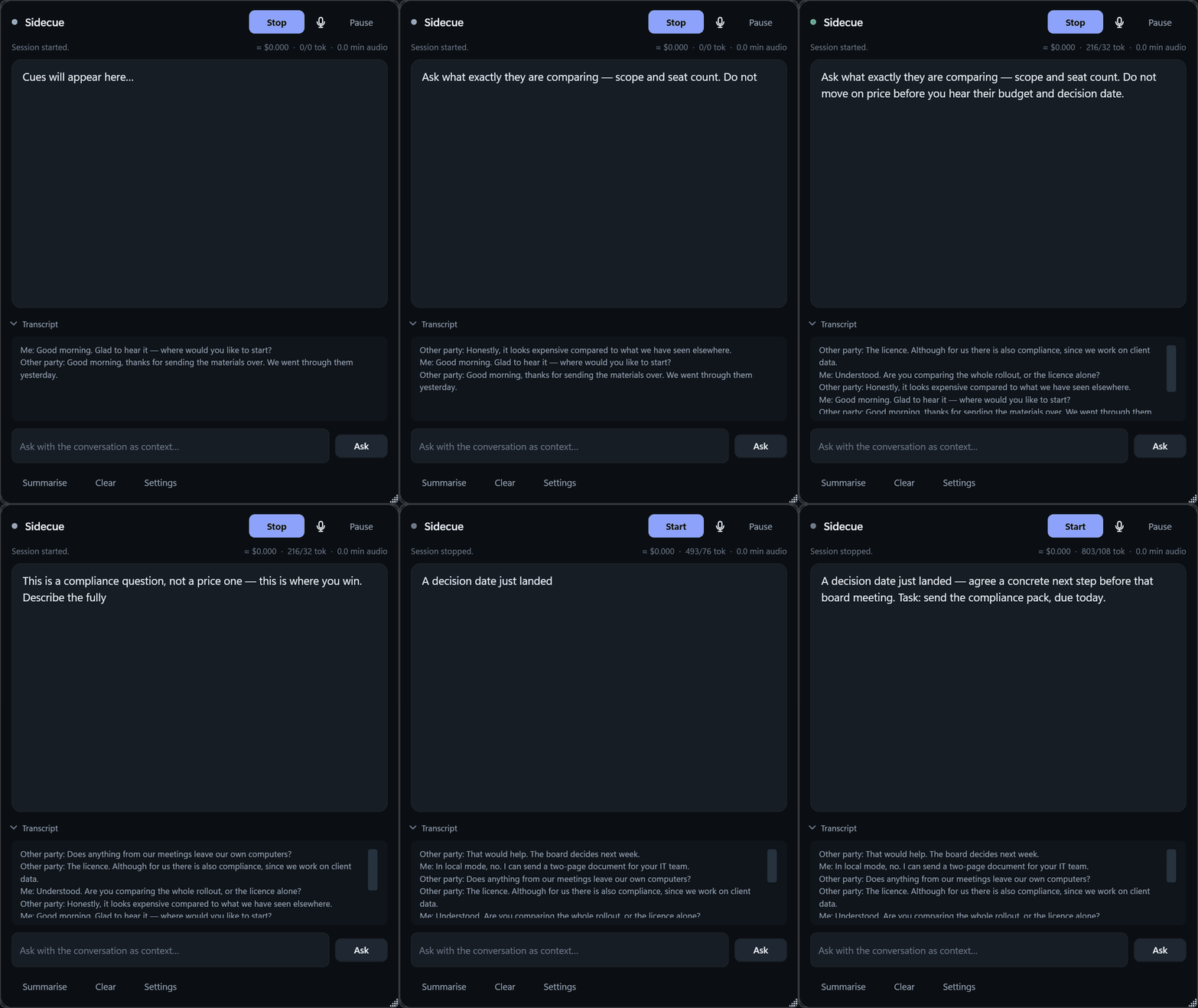
The cues come from the model you choose — Sidecue feeds it the conversation context and holds back anything you haven't agreed to send. One shortcut pauses all outbound traffic.
Why it is different
Built for meetings you cannot send to the cloud
Free note-takers are everywhere. They all have the same two problems — and both are the reason Sidecue exists.
No bot joins the meeting
Cloud note-takers dial in as a visible guest. Sidecue reads audio already playing on your machine, so meetings stay between the people in them.
A fully local mode
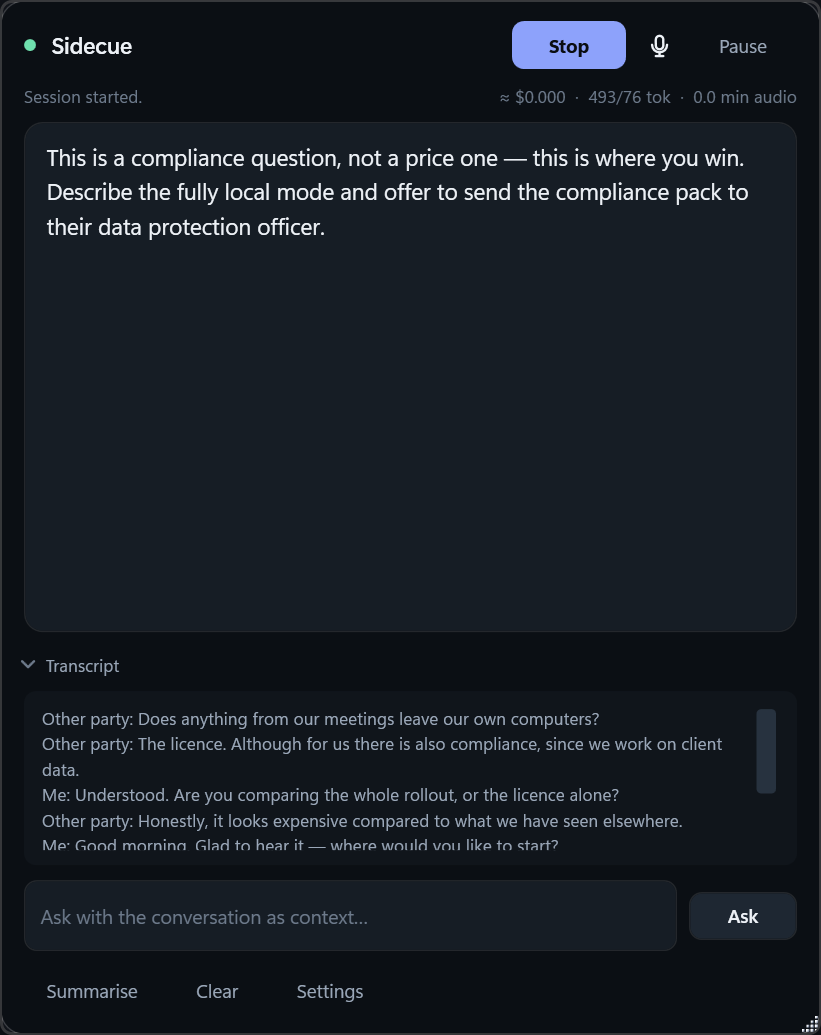
Run transcription and the language model on your own hardware. In that mode no audio and no transcript ever leaves the computer. See exactly what goes out →
Your own API keys
Bring your key from Anthropic, OpenAI or Google and pay the provider directly. We never resell or meter AI usage.
Costs you can see
A live counter shows tokens and minutes spent, with a hard spending cap that pauses everything once reached.
Pricing
One payment. No subscription.
Two shelves. They differ in how many machines the licence covers and whether you get the documents your legal team or data protection officer will ask for.
- Activates on 2 computers, moveable between machines
- 14-day trial, no card required
- Download link and licence key by e-mail, instantly
- Email support and updates for 12 months
Tax included. Need a company invoice? Write to us.
- Activates on 3 computers, moveable between machines
- Company invoice
- Signed data processing agreement
- Notified of every change to the compliance pack for 12 months
- 30-minute onboarding call with your IT team
- Email answered within one working day
Tax included. By leaving your address you agree to be contacted by email about the Compliance licence: the compliance pack, invoicing details and the release announcement. Your address will not be passed to anyone else.
Requirements
Windows 10 version 2004 (build 19041) or newer, or Windows 11. There is no macOS or Linux version.
A microphone and system audio output are required. The local mode needs a machine capable of running speech and language models on device.
Working without internet. The fully local mode sends out neither audio nor transcript. The licence itself, however, is checked against our server: it keeps working for up to 7 days offline and then needs to reach us once. A permanently air-gapped machine will not hold its activation — if that is what you need, write before buying and we will tell you straight.
Interface language. The application speaks English and Polish, and follows your Windows setting unless you pick one yourself. The cues are written in the language of your conversation, which is a separate setting — so a German call produces German cues in an English window.
Acceptable use. Sidecue is built for your own work calls — sales, support, client and team meetings. Using it in a job interview, an exam or a test where the organiser forbids such aids is cheating: we do not consent to it, and a key used that way may be revoked without a refund. Sidecue does not notify other participants by itself — tell them you use an AI assistant wherever your law or the meeting's rules require it. Terms
For IT teams: security and privacy — the full list of connections and files.
Questions? [email protected]
Release
Leave your address — we will write on release day
First a message with a confirmation link, then one message on release day: the download link and your licence key. No newsletter, no reminders, and your address is used for nothing else.
By submitting the form you agree to receive one message with the download link and your licence key on the day Sidecue is released. Your address will not be passed to anyone else. You can have it removed at any time — [email protected].